Insight
What Is a Google Company Listing and Why Does Your Business Need One?
Helios Lab

What Is a Google Company Listing and Why Does Your Business Need One?
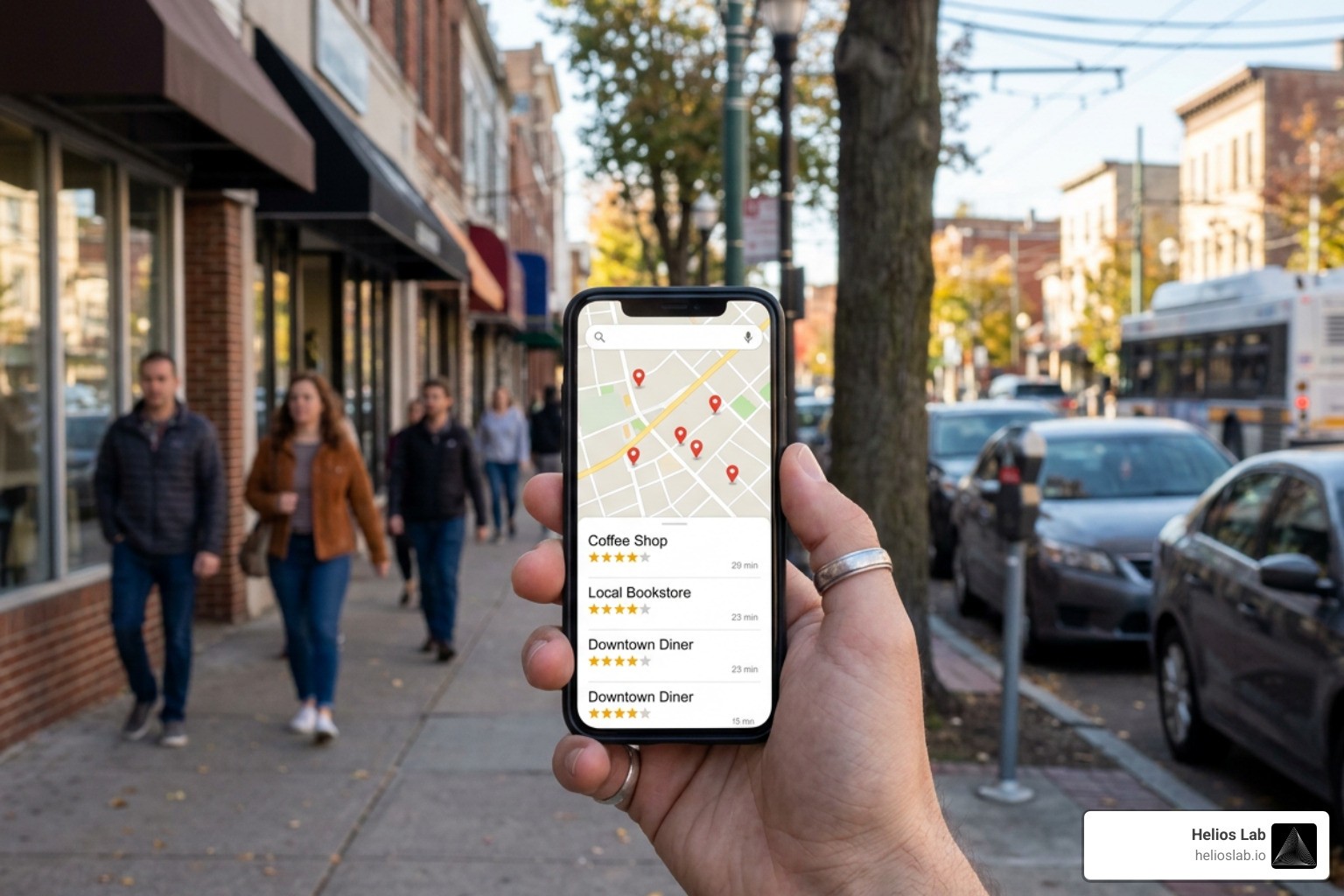
A google company listing—officially known as a Google Business Profile—is a free tool provided by Google that allows business owners to manage how their commercial details appear across Google Search, Google Maps, and Google Shopping. When local users search for services nearby (for example, "plumber near me" or "best coffee shop open now"), Google generates a localized block of results called the Local Pack or Map Pack. This display combines an interactive map with direct business profiles, photos, star ratings, and contact options.
Understanding why this listing matters starts with understanding Google's vast reach. Google processes over 6.3 million searches every single minute. Millions of these queries carry high intent from local consumers who are ready to make a purchase or book a service immediately. When you list your business, you place your operations directly inside this high-traffic ecosystem.
To learn more about the technical foundations and global infrastructure supporting these search technologies, you can read About Google corporate history and initiatives. Google's overarching mission remains organizing the world's information and making it universally accessible and useful. Maintaining a detailed, accurate company profile ensures that your business information is accessible to searchers when they need it most.
Without an active listing, your business is virtually invisible to local searchers. A complete profile acts as a digital storefront that establishes immediate credibility, provides vital operational details, and bridges the gap between online discovery and real-world transactions.
Key Benefits of a Free Google Company Listing
Creating and actively managing a google company listing offers several distinct commercial advantages:
Increased Local Search Visibility: Your business gains direct exposure in Google Search and Google Maps, allowing you to capture prospective clients right when their buying intent is highest.
Higher Conversion and Foot Traffic Rates: Verified, complete profiles perform dramatically better. Consumers are 70% more likely to visit and 50% more likely to consider purchasing from businesses with complete profiles.
Enhanced Customer Engagement Through Photos: Adding high-quality visual content yields measurable increases in interaction. Profiles with photos earn 42% more direction requests on Google Maps and achieve a 35% higher click-through rate to their primary websites compared to profiles without images.
Social Proof and Review Currency: Reviews act as online social currency. 83% of consumers rely on Google reviews before making purchase decisions. Accumulating star ratings and positive feedback builds long-term trust.
Direct Interaction Features: Customers can initiate direct phone calls, submit message inquiries, request price quotes, reserve tables, or schedule appointments directly through your listing buttons.
Access to Native Analytics: Business owners receive rich performance metrics showing how customers found their profile, what keywords were used, and what actions were taken (such as calls, website visits, or direction requests).
Eligibility Requirements for Creating Your Profile
Before creating a google company listing, you must ensure your enterprise complies with Google’s core eligibility guidelines. Google enforces these rules strictly to maintain data quality across Maps and Search.
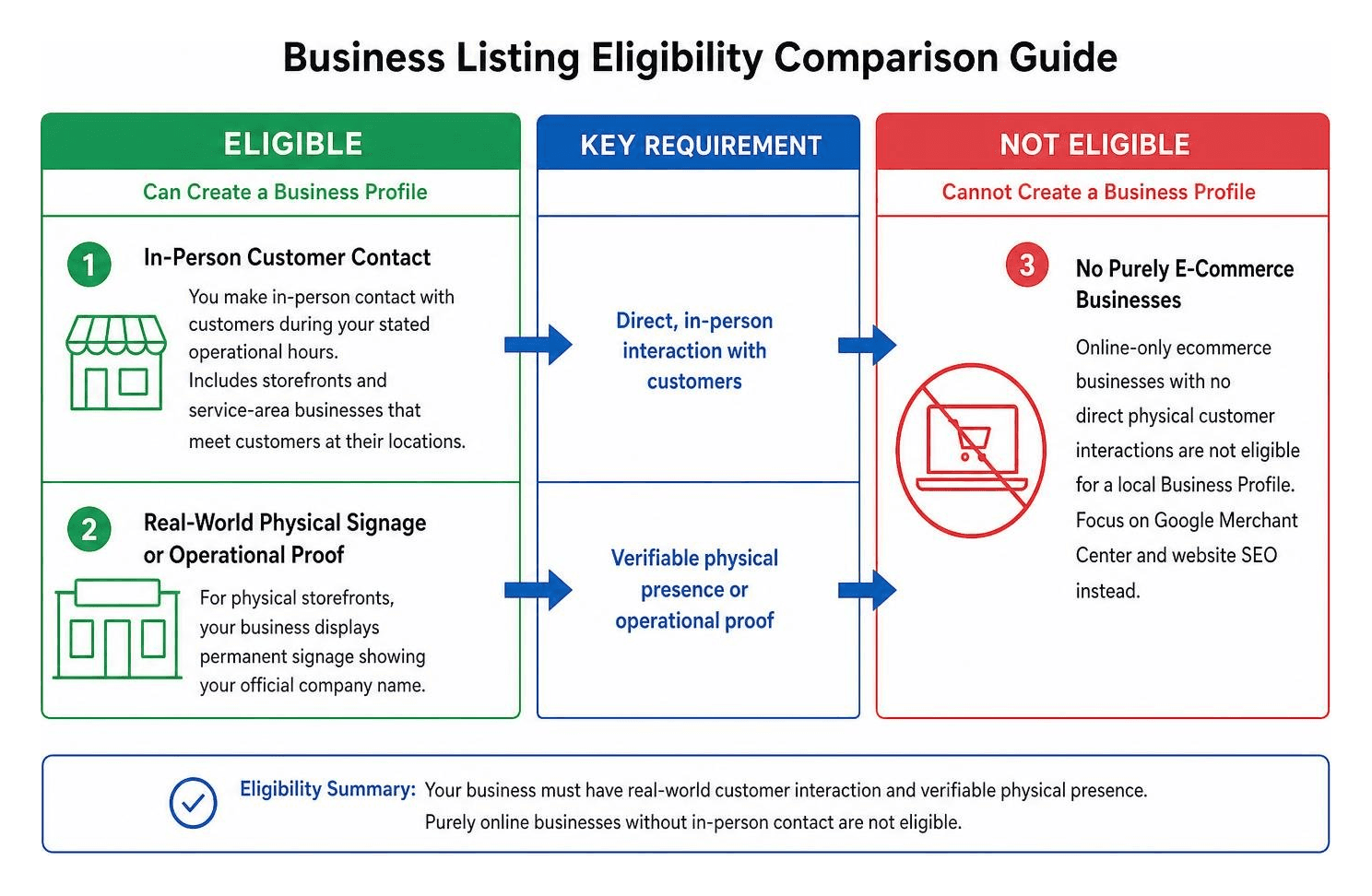
To qualify for a Business Profile, your company must meet the following criteria:
In-Person Customer Contact: You must make in-person contact with customers during your stated operational hours. This includes storefront brick-and-mortar retail shops where customers visit you, as well as service-area businesses (like electricians or mobile dog groomers) that travel directly to meet customers at their locations.
Real-World Physical Signage or Operational Proof: For physical storefronts, your business must display permanent signage showing your official company name.
No Purely E-Commerce Businesses: Online-only ecommerce businesses that lack direct physical customer interactions are not eligible for a local Business Profile. These companies should focus on Google Merchant Center and broader website SEO instead.
No Virtual Offices or Unmanned Locations: P.O. Boxes, remote mail receiving drop boxes, rental virtual desks, or unmanned rental properties (like unstaffed storage units or holiday homes) cannot be listed as local business addresses.
How to Set Up and Verify Your Business Listing
Setting up your profile is straightforward, but taking your time during initial setup ensures you won't trigger immediate administrative flags or delays during verification.

Step-by-Step Setup Guide
Follow this systematic step-by-step framework to create your listing from scratch:
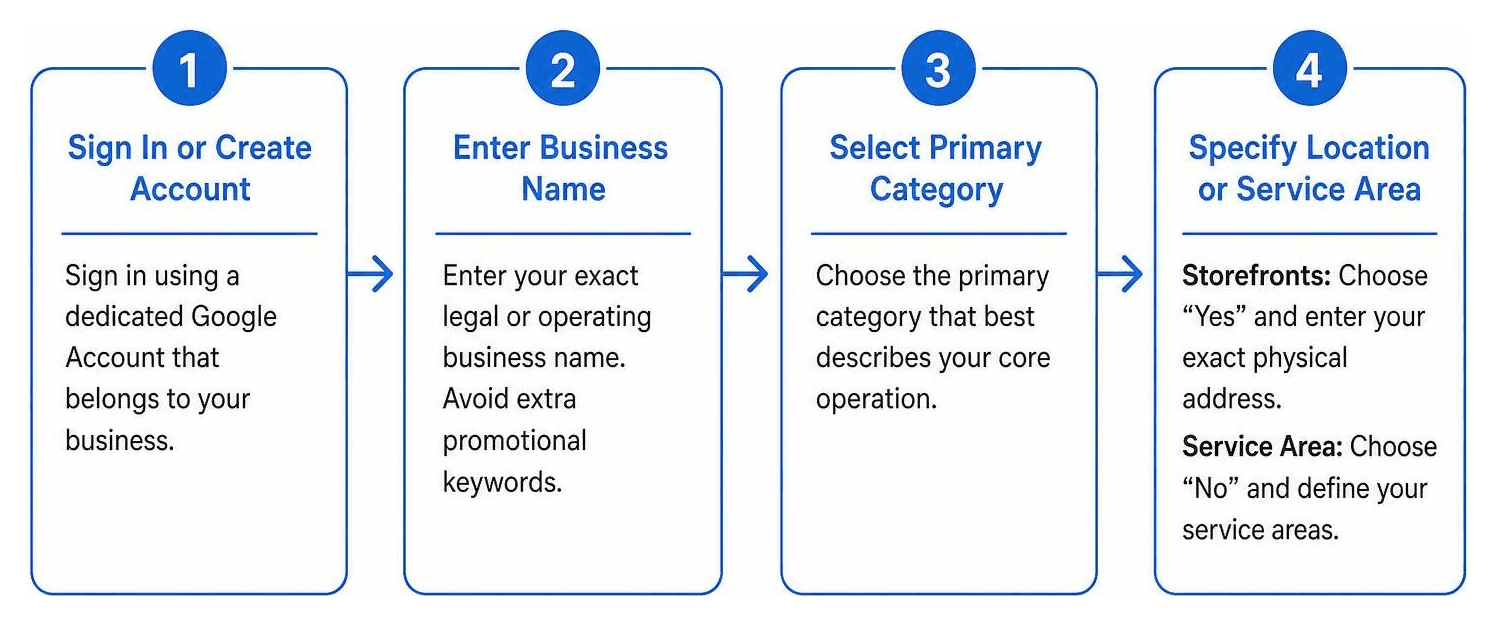
Sign In or Create a Dedicated Google Account: Open your browser and navigate to the Google Business Profile manager. Sign in using a dedicated Google Workspace or Google Account that belongs to your business rather than a personal personal account.
Enter Your Official Business Name: Type your exact legal or operating business name. Avoid stuffing extra promotional keywords into your official business title (for instance, write "Apex Plumbing" rather than "Apex Plumbing Best Cheap Plumber In Town"). Misrepresenting your real-world brand name violates Google guidelines and can trigger immediate suspensions.
Select Your Primary Business Category: Select the primary business category that best describes your core operation. Google offers thousands of predefined categories. Choose the option that describes what your business is, rather than what it sells (e.g., select "Pizza restaurant" rather than "Dinner place").
Specify Storefront or Service Area Operations: Google will ask if you want to add a physical location that customers can visit.
Storefronts: Choose "Yes," then enter your exact physical address including suite or unit numbers.
Service-Area Businesses: Choose "No" if you meet clients exclusively at their locations. You will then define your service radius by entering specific cities, counties, or zip codes.
Provide Accurate Contact Information: Enter your primary operational telephone number and your main website URL. Ensure your website address starts with standard protocols (
http://orhttps://) and leads to an active landing page.Finalize Initial Creation: Review your entered details and click "Continue" or "Finish" to proceed directly to the verification portal.
Verification Methods and Process
Google requires all profile creators to verify their business ownership before the listing becomes visible publicly on Google Maps and Search. This prevents unauthorized users from claiming listings they do not own.
Verification options vary depending on your business category, risk assessment, physical footprint, and regional regulations:
One-Shot Video Verification: This has become the standard verification requirement for modern local business listings. You will be prompted to record a single, continuous video (typically up to 5 minutes long) on a mobile device without cuts or edits. The video must demonstrate three key proof points:
Location: Outdoor street signs, nearby landmarks, or your business address number on the building exterior.
Operations & Signage: Permanent fixed signs showing your business name, exterior storefront setup, or work tools and branded vehicles.
Proof of Ownership/Management: Unlocking the front door, opening the point-of-sale system, operating office equipment, or accessing employee-only areas.
Live Video Call Verification: A live video session with a Google support agent where you walk through your premises showing equipment, signage, and documents in real time.
Phone or SMS Verification: Eligible low-risk entities may receive an automated voice call or text message containing a multi-digit verification code sent to their registered primary phone number.
Email Verification: Certain pre-vetted businesses can opt to receive a verification pin delivered to an official email address associated with the business web domain.
Standard Postcard Verification: A physical postcard containing a custom 5-digit verification code mailed directly to your listed street address. Delivery typically takes 5 to 14 business days.
Once your verification materials are submitted, Google reviews them within a few business days. Once verified, you gain complete administrative control over your listing.
Optimizing Your Listing for Maximum Search Visibility
Creating and verifying your listing is only the baseline requirement. To outrank competing businesses in the local Map Pack, you must fully optimize every detail of your profile.
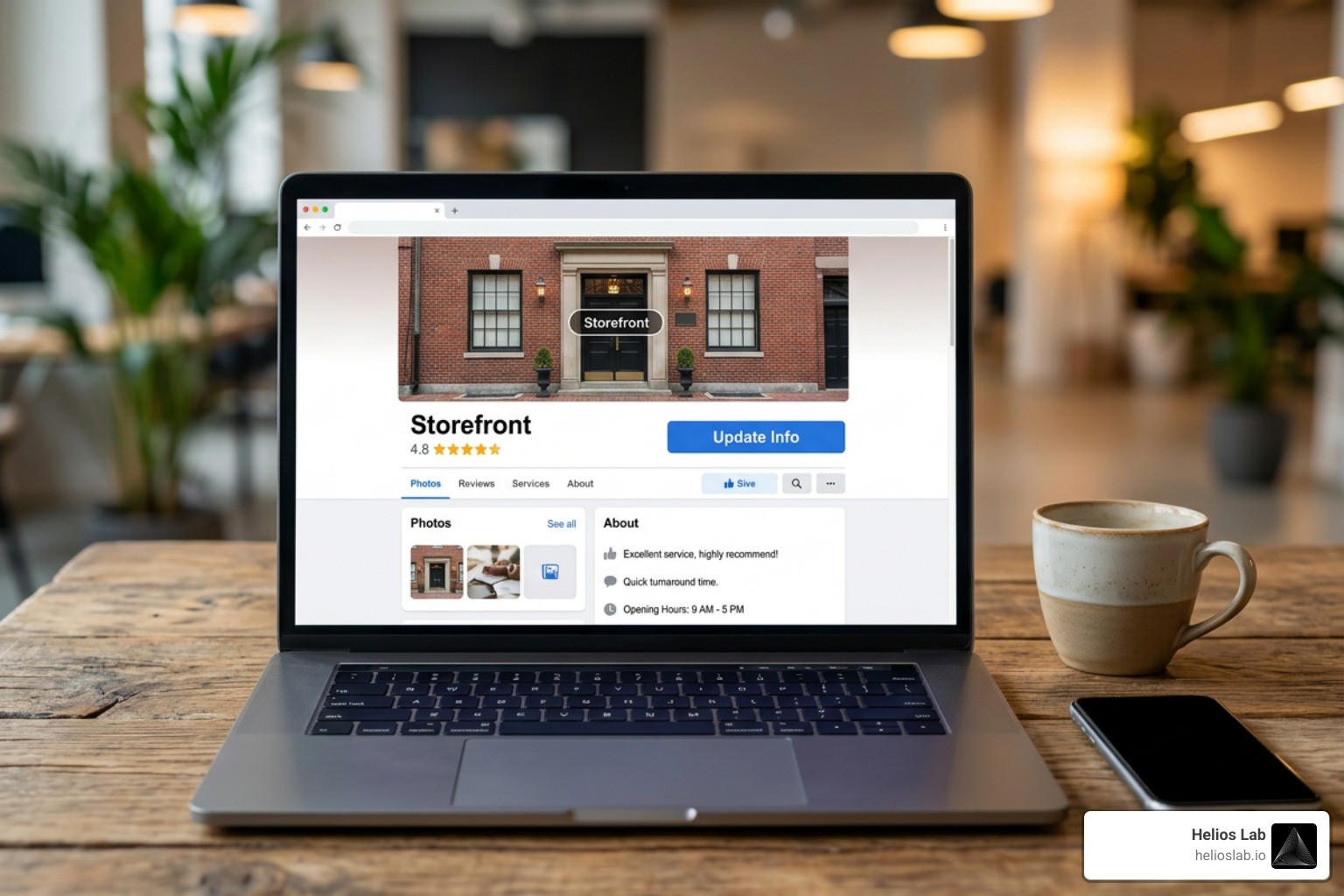
Optimizing Your Google Company Listing for Maximum Visibility
A fully filled-out profile sends strong signals to Google's ranking algorithm. Follow these optimization guidelines to maximize local search visibility:
Draft a Comprehensive Business Description: You are allowed up to 750 characters in your business description field. Use this space to explain your history, core services, specialty offerings, and unique value proposition. Incorporate relevant local keywords naturally, but refrain from inserting web URLs, HTML code, prices, or pushy promotional links—Google strictly prohibits these within the main description box.
Configure Primary and Secondary Categories: While you can select only 1 primary category, Google allows you to choose up to 9 secondary categories. Use secondary categories to capture related search queries (for example, if your primary category is "Auto Repair Shop," suitable secondary categories might include "Brake Shop," "Oil Change Service," and "Tire Shop").
Maintain NAP Consistency: Your Name, Address, and Phone number (NAP) details on your Business Profile must match what is published across your official website and third-party web directories. Inconsistent phone numbers or address variations dilute local SEO signals.
Upload High-Quality Media Assets: Visual content builds immediate buyer engagement. Upload a crisp, square logo image, a high-resolution cover photo, exterior building views (to help arriving clients recognize your location), interior room shots, team photos, and featured product displays. Profiles featuring fresh photos consistently generate higher user engagements.
Set Detailed Operating and Holiday Hours: Clearly define regular business hours, special holiday schedules, and seasonal modifications. Google prominently notifies users if a business is "Closing soon" or "Closed today for holiday," preventing poor customer experiences caused by inaccurate hours.
Leverage Business Attributes: Select relevant non-standard attributes provided by Google (such as "Wheelchair accessible entrance," "Free Wi-Fi," "Women-led," or "Outdoor seating"). These attributes help your profile show up when users apply specific filters to their local search queries.
Managing Reviews and Customer Interactions
Your google company listing serves as a direct point of contact between your team and potential buyers. Active engagement builds customer trust and improves local SEO engagement metrics.
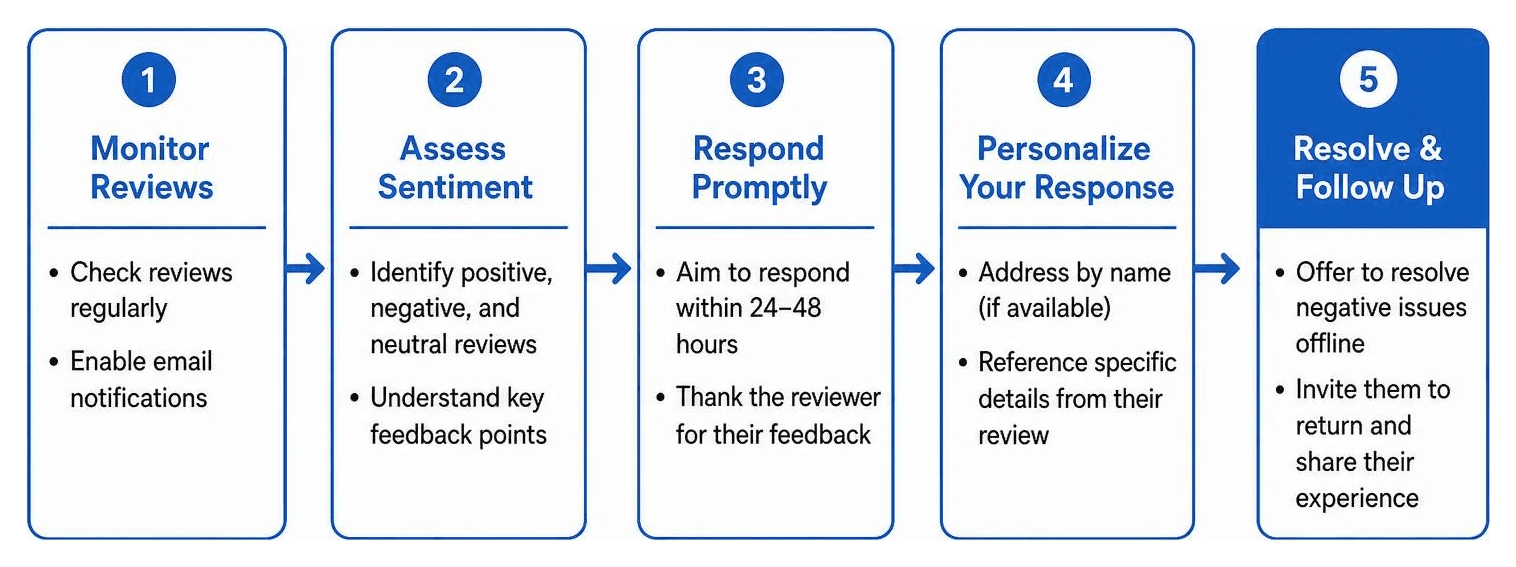
1. Proactively Manage Online Customer Reviews
Regularly encourage happy clients to leave honest reviews by sending post-service follow-up emails or displaying QR code links at your checkout counter. Never offer financial incentives, discounts, or gifts in exchange for reviews, as this violates Google's anti-spam guidelines.
Always reply to incoming reviews promptly—both positive and negative:
For Positive Reviews: Express genuine gratitude, mention specific service elements highlighted by the customer, and reinforce your commitment to high quality.
For Negative Reviews: Remain calm, helpful, and professional. Acknowledge the reviewer's concern, offer a brief, non-defensive explanation where necessary, and invite them to continue the conversation offline via direct email or telephone to resolve the issue.
2. Enable Direct Messaging and Chat
Activating Google’s built-in chat function allows searchers to message your business directly from your profile display on Search and Maps. Ensure your staff turns on notifications and responds promptly, as Google tracks response speeds and may disable messaging features if your response times are consistently delayed.
3. Monitor and Answer Community Q&As
Google allows any user to ask questions on your public listing, and any member of the public can supply an answer. Check your Q&A section frequently, provide official, helpful answers to incoming questions, and proactively post and answer common FAQs (such as parking availability or appointment policies) directly.
4. Utilize Booking and Order Integrations
Depending on your industry, link native third-party service providers to enable direct table reservations, quote requests, ticket purchases, or service scheduling right on your profile. Eliminating unnecessary steps between search and booking significantly improves conversion rates.
Analyzing Performance Insights and Troubleshooting Issues
Once your listing is active, monitoring performance data and resolving technical issues quickly will keep your listing visible and functional.
Leveraging Performance Insights
Google Business Profile includes built-in analytics that show how searchers interact with your local business presence. You can view these metrics directly on Google Search or Maps by searching for your business name while signed into your administrative account.
Key performance indicators to monitor regularly include:
Search Query Insights: Identifies the specific keywords and search terms people typed into Google Search that surfaced your listing (e.g., direct searches for your business name versus indirect discovery searches for your general product or service category).
Customer Interactions: Tracks direct actions taken by searchers, including total website click-throughs, direct phone call taps, driving direction requests, and direct message inquiries.
Platform Views: Breaks down how many times your profile was viewed on Google Maps versus standard Google Search on desktop and mobile devices.
Photo Views and Engagement: Compares your profile’s photo views and media quantity against similar local businesses in your industry sector.
Evaluating these trends helps you refine your local marketing efforts. For example, if direction requests are high but website click-throughs are low, you may need to update your landing page design or clear up location directions.
To understand how larger market trends fit into corporate regulatory environments and publicly listed technologies, you can consult official public record repositories like the Alphabet Inc. SEC EDGAR filings database. Tracking operational filings offers a clear perspective on how enterprise search platforms evolve over time.
Troubleshooting Common Listing Issues
Even well-maintained business profiles occasionally run into technical hiccups or administrative suspensions. Here is how to resolve common issues:
Issue | Primary Cause | Recommended Troubleshooting Step |
|---|---|---|
Unsupported Browser Errors | Outdated web browser software. | Update Google Chrome, Safari, Firefox, or Microsoft Edge to the newest software version before accessing profile settings. |
Soft Profile Suspension | Minor discrepancy in address, category, or business name formatting. | Log into your dashboard, review Google's guidelines, correct non-compliant text (like promotional keywords), and submit a formal reinstatement appeal. |
Hard Profile Suspension | Major compliance violation, ineligible business model, or virtual office usage. | Gather legal documentation (utility bills, business licenses, lease agreements showing physical address) and submit a formal appeal through the Google Business Profile Appeals Tool. |
Duplicate Listing Conflicts | Unverified or automatically generated duplicate maps pin exists for your address. | Search Google Maps for the duplicate, click "Suggest an edit," mark it as "Duplicate of another place," or claim and merge the profiles via support. |
Re-Verification Prompts | Significant edits made to core details (e.g., sudden address change or business name update). | Complete the prompted verification workflow (such as a new uncut video upload) quickly to maintain uninterrupted visibility. |
Frequently Asked Questions About Google Company Listings
Is a Google company listing completely free to set up?
Yes, creating, verifying, and managing a google company listing on Google Search and Maps is 100% free of charge. Google does not charge subscription fees, monthly maintainer costs, or setup charges for core Business Profile features. Be cautious of third-party telemarketers who claim to be "Google representatives" demanding payment to keep your local listing active.
How long does it take to verify a business listing on Google?
Verification review times depend on the method required for your account:
Video Verification: Google generally reviews submitted uncut video recordings within 3 to 5 business days.
Postcard Verification: Physical postcards arrive via regular mail within 5 to 14 business days, after which entering the 5-digit pin code grants immediate access.
Phone/Email/Instant Verification: When available for eligible accounts, verification occurs almost instantly.
Can service-area businesses hide their physical home address?
Yes. If you operate your business out of a private home office or run a service-area operation where customers do not visit your residence (e.g., mobile detailing, locksmithing, or home repair), you can—and should—hide your physical street address from public display. During setup, simply select your service regions by city or zip code and leave the public street address field blank. Google will maintain your local service radius coverage without publicly displaying your residential address.
Conclusion
Setting up a google company listing is one of the single most effective steps you can take to establish a strong local presence online. By creating your profile, completing verification, optimizing your operational details, and routinely engaging with customer reviews, you position your business to capture high-intent local searchers precisely when they are ready to buy.
At Helios Lab, we know that managing local visibility while staying on top of ever-changing search requirements takes consistent focus. That’s why we offer specialized services tailored to every stage of your digital growth:
For Local SEO: We offer a hands-off service designed to maximize your local presence. We optimize your Google Business Profile, manage customer reviews and citations, and maintain complete listing accuracy across search networks. Operating on a clear, flat monthly fee with transparent reporting linked directly to call volume and ranking improvements, our service ensures you become the leading choice for nearby customers.
For SEO Authority Content: When you are ready to expand beyond local maps and dominate high-value search queries across broader geographic markets, our SEO Authority Content solution crafts targeted, authoritative content. We build pieces that achieve top Google rankings, earn acknowledgment from AI-driven search engines, build high-authority backlinks, and continuously capture buyers before they make purchase decisions.
To dive deeper into modern local marketing strategies and growth frameworks, explore marketing insights on our blog. Ready to build an unbeatable local search presence? Learn more about dominating local search rankings with Helios Labtoday!